Duplicate layer names in drawing file
Posted: Wed Dec 08, 2021 1:37 pm
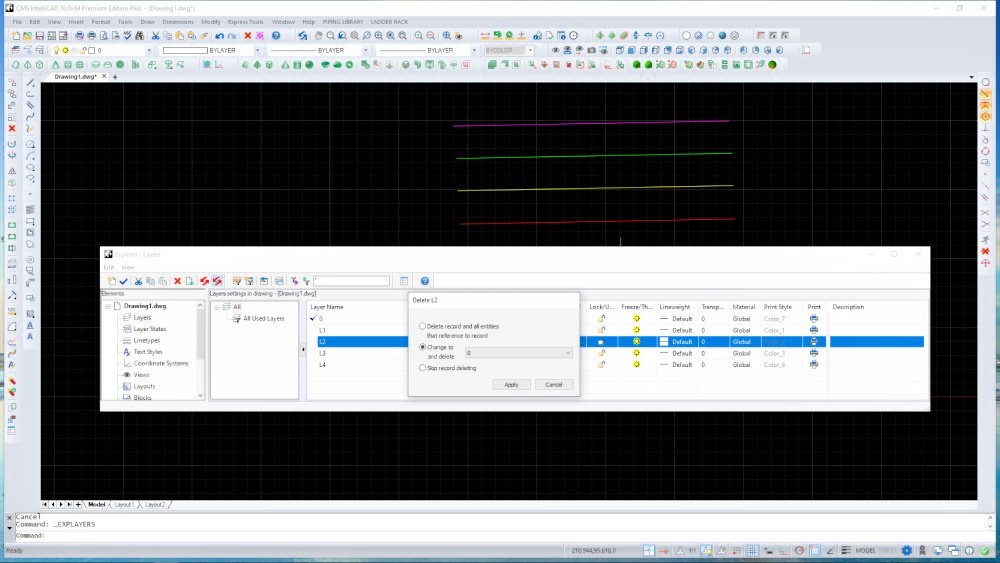
I am using CMS Intellicad 10 and have been editing a drawing file which was originally created using Intellicad 8.1 on another computer. Today I noticed that the drawing now has duplicate layer names. There are now two layers, both named L2. There are also two layers both names L2P, and two layers both named L2SM. I know I did not create these duplicate layers. In fact, when creating a new layer Intellicad does not let me name a new layer with the same name as an existing layer. I checked the original source drawing on the computer where it was created using Intellicad 8.1, and that drawing does NOT have duplicate layer names. The duplicate layer names appeared at some point as I was working with the drawing on Intellicad 10, but I don't know when they appeared.
I believe CMS Intellicad 10 has a bug, and it somehow created these duplicate layers all by itself, possibly when opening, saving or editing the drawing. How is it possible to have more than one layer with the same name?
I can delete the duplicate layers, but I don't want to lose drawing entities that might be on those layers (and I cannot tell which layer L2 a given drawing element is on, for example). Even if I delete the duplicate layers, how can I be sure that other duplicate layers will not appear as I continue to work on this drawing?
I believe CMS Intellicad 10 has a bug, and it somehow created these duplicate layers all by itself, possibly when opening, saving or editing the drawing. How is it possible to have more than one layer with the same name?
I can delete the duplicate layers, but I don't want to lose drawing entities that might be on those layers (and I cannot tell which layer L2 a given drawing element is on, for example). Even if I delete the duplicate layers, how can I be sure that other duplicate layers will not appear as I continue to work on this drawing?