Page 1 of 1

version 11.0 trial is available

Posted: Fri Aug 26, 2022 4:20 am
by sln8458
I received an email saying version 11.0 is available for download and trial.
ATM I am busy, but worked late to give me a little time to have a 'play'

Revolve is now working when the object touches the axis of revolution, :)

I really like the new section plane command. This is something I came across in another software I use and requested. feels a bit 'clunky' atm, but impressed.

Not had time to load any of my customization yet, maybe later.

SteveN

Re: version 11.0 trial is available

Posted: Sat Aug 27, 2022 12:26 am
by Danielm103
YAY, waiting for the API stuff to be uploaded

Re: version 11.0 trial is available

Posted: Sun Aug 28, 2022 8:13 pm
by kam33mitch
I like it overall. Revolve is fixed and the ES graphics works again. The 3D visual aids are nice. Seems a bit faster too.

Still haven't fixed the 3D mirror though :(

Re: version 11.0 trial is available

Posted: Fri Sep 02, 2022 10:03 am
by sln8458
Sadly I obviously didn't test the Revolve command properly.
Object that 'touch' the axis of revolution do revolve as expected, however object that 'cross' the axis of revolution still fail :(

Steve

Re: version 11.0 trial is available

Posted: Fri Sep 02, 2022 1:03 pm
by kam33mitch
sln8458 wrote:
Fri Sep 02, 2022 10:03 am
Sadly I obviously didn't test the Revolve command properly.
Object that 'touch' the axis of revolution do revolve as expected, however object that 'cross' the axis of revolution still fail :(

Steve
No doubt saving that one for 12,0 . . .

Re: version 11.0 trial is available

Posted: Sun Sep 04, 2022 4:39 pm
by CMS Inc
We don't quite understand the issue, as - geometrically - with 3D solids modelling, it doesn't make sense to revolve a region that crosses the axis of revolution.
Image

Re: version 11.0 trial is available

Posted: Mon Sep 05, 2022 12:59 am
by sln8458
Here is an image of a piping end cap, used to close an open section of pipe.
.
Image
.

There are various sizes for both pipe diameter (1/2" to 24" in my piping utility, but larger are available) then we have various wall thicknesses (again in my piping utility I list schedule 5 to schedule 120, but there are many more).

Let me ask how you would create a solid of this in CAD ?

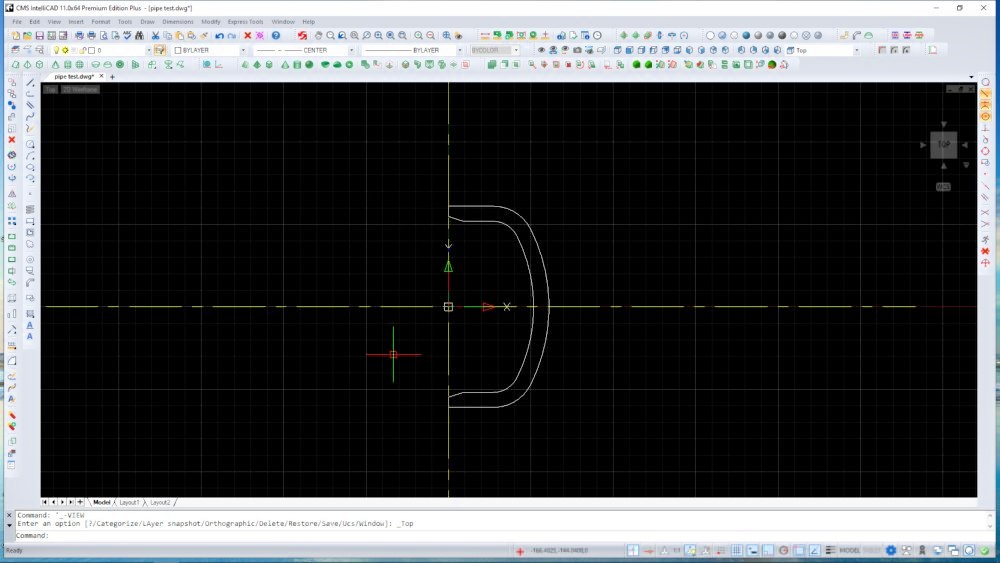
How I approached this is:
first create the section profile (via lisp).
Image
.
.
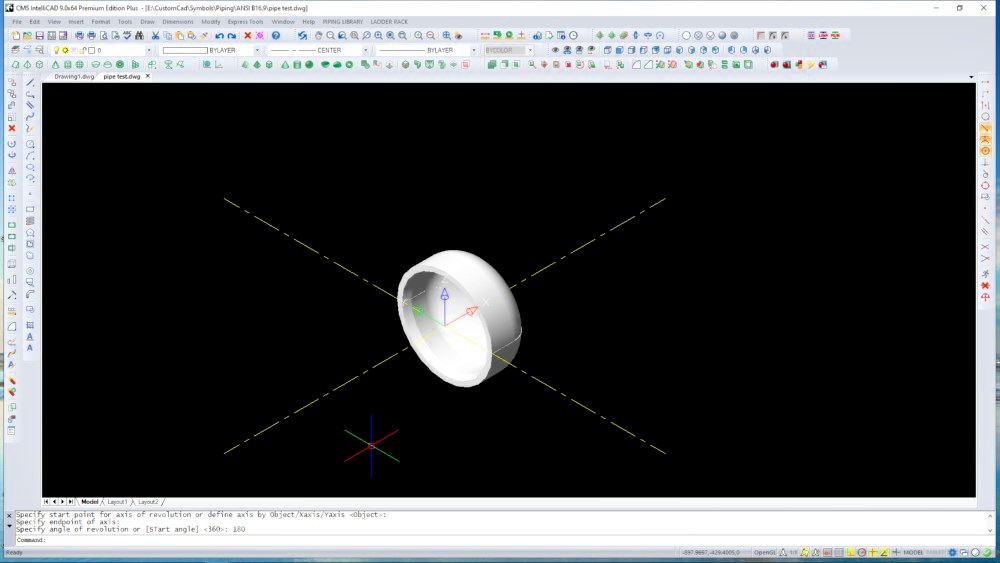
Then revolve the profile (180deg) to create the solid,
Using version 9 I get this:
Image
.
.
Version 11 throw a fit, and tells me it cannot rotate an object that 'crosses' the axis of revolution, WHY?? version 9 worked just fine:)
[from memory: version 10.0 didn't work with the same issue, some of the early maintenance versions of 10.1 did work.]

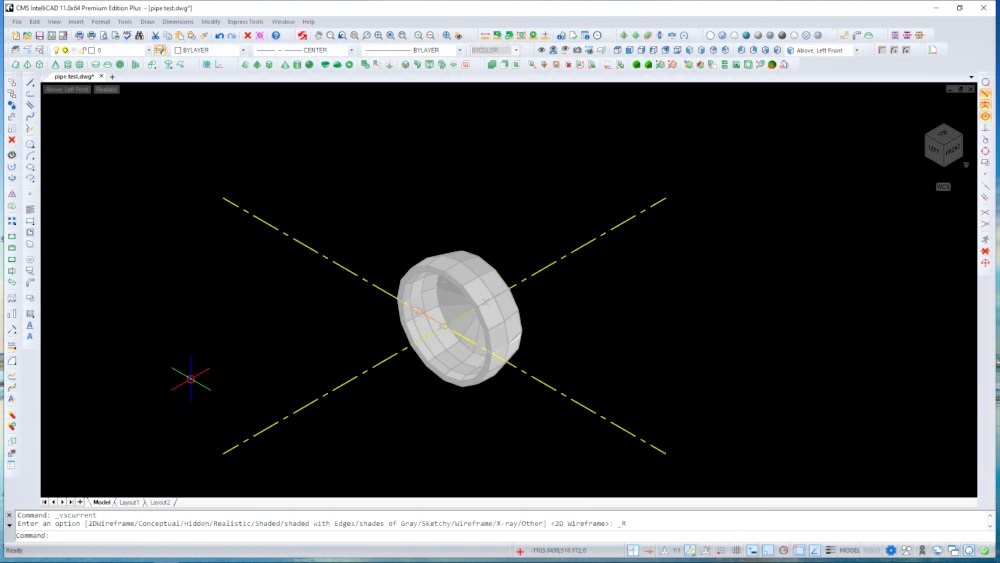
However I can revolve a 'surface' using '_REVSURF' and get this:
Image
.

.